VPNs and antivirus software are sold as the same kind of online protection, yet they guard against different threats. A VPN encrypts your connection and hides your IP address, which protects you on hotel Wi-Fi and lets you change your online location. It won’t stop an infected download from taking over your laptop. Antivirus is built for that, but it can’t hide your browsing from your ISP.
Many security companies now sell both in one subscription. Some are VPNs with malware protection added, and others are antivirus suites that add a VPN. The catch is that one half is usually weaker than the other. Five bundles made our shortlist, starting with the one we’d buy first.
Best VPN and Antivirus Bundles for 2026
- NordVPN: Best overall, with a fast VPN and download protection
- Surfshark One: Best value for full antivirus scans on several devices
- Private Internet Access: Best low-cost antivirus add-on for Windows
- CyberGhost: Best for keeping Windows apps up to date
- Norton 360 Deluxe: Best antivirus suite with a built-in VPN
VPN and Antivirus Bundles Compared
| Bundle | Antivirus works on | Scans files already on your PC | VPN countries | Devices | Long-term price |
| NordVPN Complete | Windows, macOS | No, checks downloads | 152 | 10 | $4.49 a month |
| Surfshark One | Windows, macOS, Android | Yes | 100 | Unlimited | $2.49 a month |
| PIA with Antivirus | Windows | Yes | 104 | Unlimited | $1.89 a month, plus $1.45 for antivirus |
| CyberGhost with Security Suite | Windows | Yes | 100 | 7 | $1.99 a month, plus $1 for the suite |
| Norton 360 Deluxe | Windows, macOS, Android, iOS | Yes | 100+ | 5 | $49.99 for the first year |
Kaspersky Plus also bundles antivirus with Kaspersky VPN, but Kaspersky products can no longer be sold in the US. None of these antivirus tools works on Linux. Our list of Linux VPNs covers the VPN side for Linux users.
Our Top VPNs With Antivirus
We tested each VPN on a Windows 11 PC in October, with speed loss averaged across UK, US, and Japanese servers.
1. NordVPN: Best Overall VPN With Antivirus
Pros
- Blocks malicious and phishing sites
- Ad and tracker blocking in the same tool
- NordWhisper for restricted networks
- Smart DNS for streaming devices
Cons
- Doesn’t scan files already on your PC
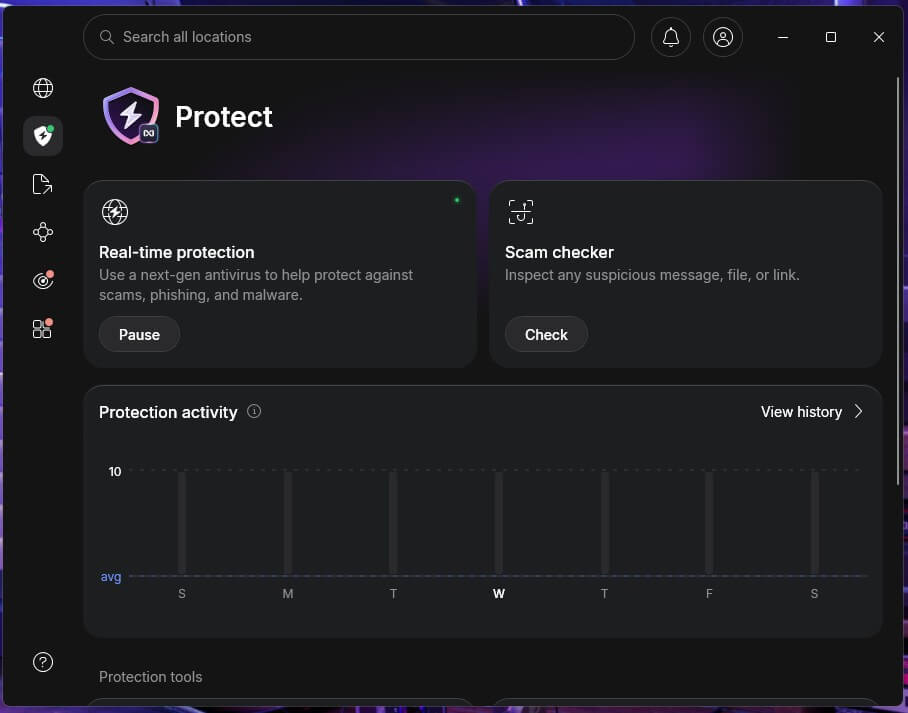
NordVPN adds malware protection through its next-gen antivirus, which comes with the Complete and Prime plans on Windows and macOS. It checks files as you download them and blocks malicious and phishing sites. In our tests, it stopped 45 of 50 malware downloads. It can’t scan what’s already saved on your computer or remove an existing infection.
Keep Microsoft Defender, which comes free with Windows, enabled alongside it. As a VPN, NordVPN lost only 7.8% of our speed on average, and its kill switch didn’t leak when we restarted the PC. The Complete plan costs $4.49 a month for 27 months ($121.23), then $219.48 a year.
It also includes a password manager and 1 TB of cloud storage, while the cheaper Basic plan has no antivirus. Every plan lets you try NordVPN risk-free for 30 days.
2. Surfshark One: Best Value for Full Antivirus Scans
Pros
- Antivirus on Windows, Mac, and Android
- Alert warns you about data breaches
- Alternative ID masks your email at sign-up
- Scam protection for risky sites
Cons
- Some malware went undetected in our tests
- No antivirus scanning on iPhone
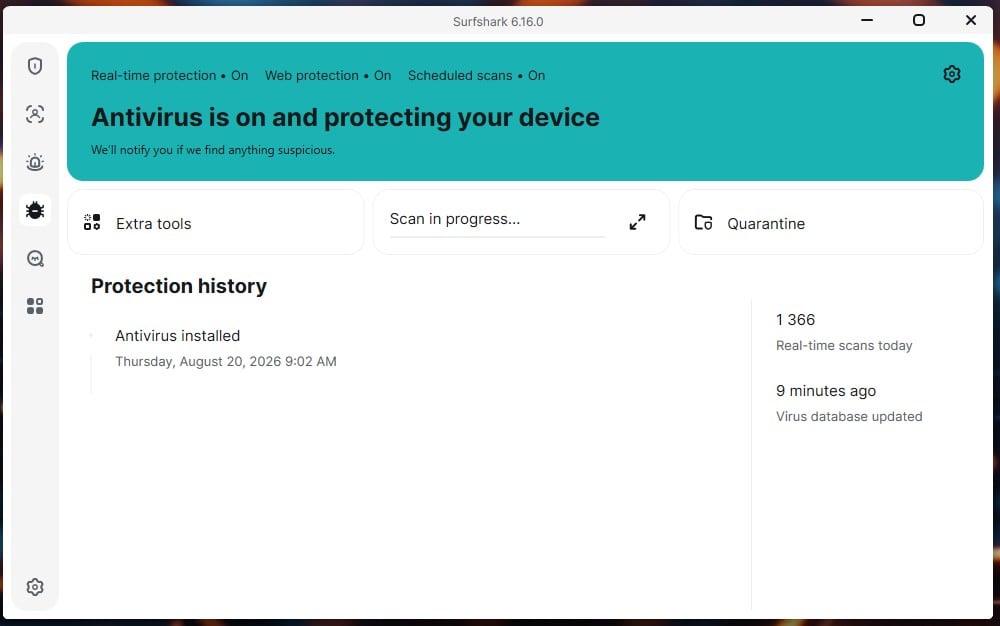
Surfshark One adds a full antivirus to Surfshark’s VPN, with always-on scanning and quick, full, and custom scans. It’s the only VPN-led bundle on our list whose antivirus also covers Android. In our tests, it caught 93.44% of malware samples without a single false alarm.
AV-TEST also gave Surfshark full marks for protection in its May and June 2026 tests. If detection rate comes first, Norton 360 Deluxe scored higher. Surfshark was also light on the PC, adding about 2 seconds to startup. The iPhone app includes the VPN and Alert, but no antivirus. Apple doesn’t let apps scan an iPhone for malware, and keeping iOS updated is the main protection there.
The VPN slowed our connection by 9.6% on average. Surfshark One costs $2.49 a month on a 27-month plan ($67.23) and renews at $99 a year. The Starter plan costs the same up front and renews for less, but it has no antivirus.
3. Private Internet Access: Best Low-Cost Antivirus Add-On
Pros
- Quarantine for flagged files
- Web Shield blocks malicious domains
- MACE ad and tracker blocker
- Unlimited VPN connections
Cons
- Antivirus works on Windows only
- Default kill switch let traffic out on a restart
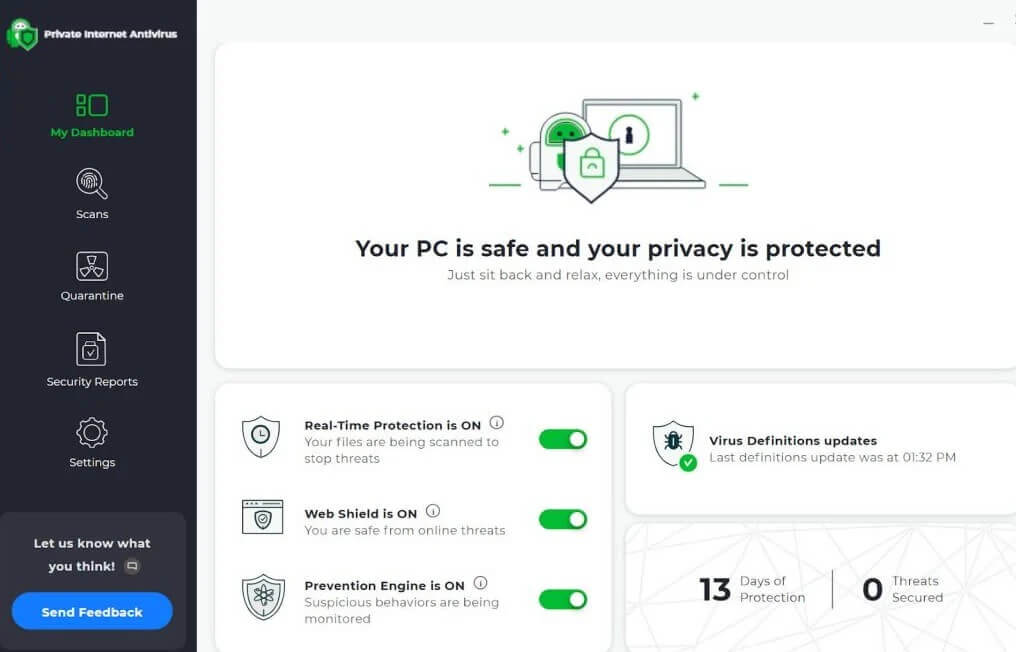
Private Internet Access sells its antivirus as an add-on to the VPN, for $1.45 a month ($34.80 for two years). It works on Windows only. For a Mac or Android phone, Surfshark One covers more of your devices. Along with always-on scanning, it offers quick, full, and custom scans that you can schedule, plus Web Shield, which blocks malicious domains in your browser.
Flagged files go to quarantine, where you can review them before deleting. With WireGuard selected in the settings, the VPN’s speeds dropped 12.7% on average. Its MACE blocker removed 96% of the ads and trackers on d3ward’s test page.
Its standard kill switch leaked traffic during a PC restart. Enable the Advanced Kill Switch, which passed the same test. The VPN itself is $1.89 a month over the first 26 months ($49.14), then $49.14 a year.
4. CyberGhost: Best for Keeping Windows Apps Up to Date
Pros
- Security Updater finds outdated apps
- Antivirus built with Intego
- Generous money-back window
- Dedicated streaming and gaming servers
Cons
- Security Suite works on Windows only
- No strict kill switch mode
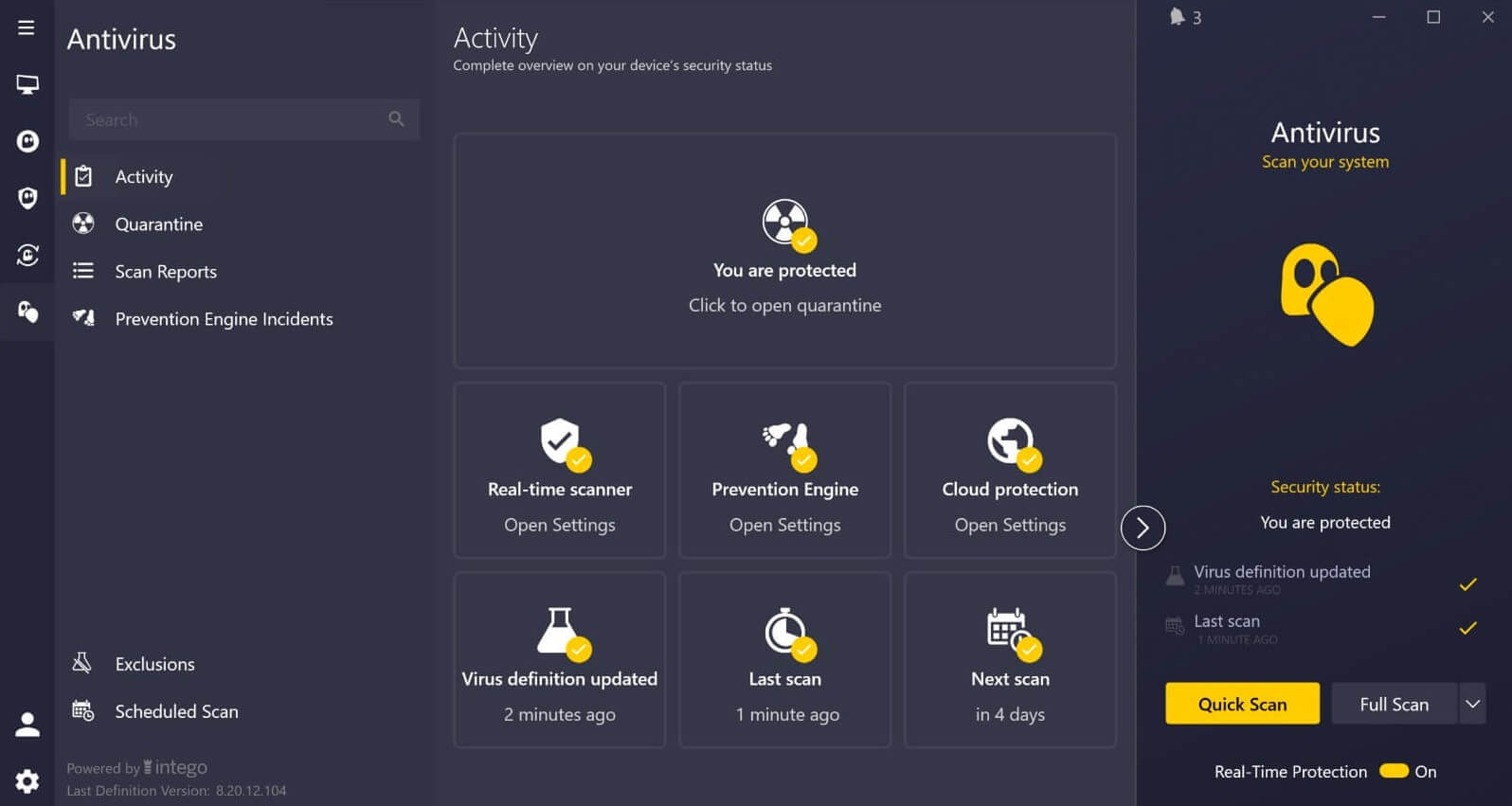
CyberGhost sells its Security Suite for Windows as a $1 a month add-on. It has two parts: an antivirus built with Intego, and Security Updater, which lists the outdated apps on your PC so you can update them. Old app versions are a common way in for malware. The suite supports Windows 10 and 11, and on a Mac or phone, only the VPN works.
CyberGhost’s VPN speeds dropped 13.3% on average, and it unblocked most streaming services we tried. Its kill switch passed our cable and crash tests but failed the restart test, and there’s no stricter mode to fix it. If you restart on public Wi-Fi, wait for the VPN to connect before you launch a browser. CyberGhost costs $1.99 a month for the first 26 months ($51.74), then $51.74 a year.
5. Norton 360 Deluxe: Best Antivirus Suite With a Built-In VPN
Pros
- Covers Windows, Mac, Android, and iOS
- Dark web monitoring and parental control
- Password manager and cloud backup
- Top marks from AV-TEST
Cons
- Much higher price at renewal
- Added noticeable time to startup
- VPN slower on distant servers
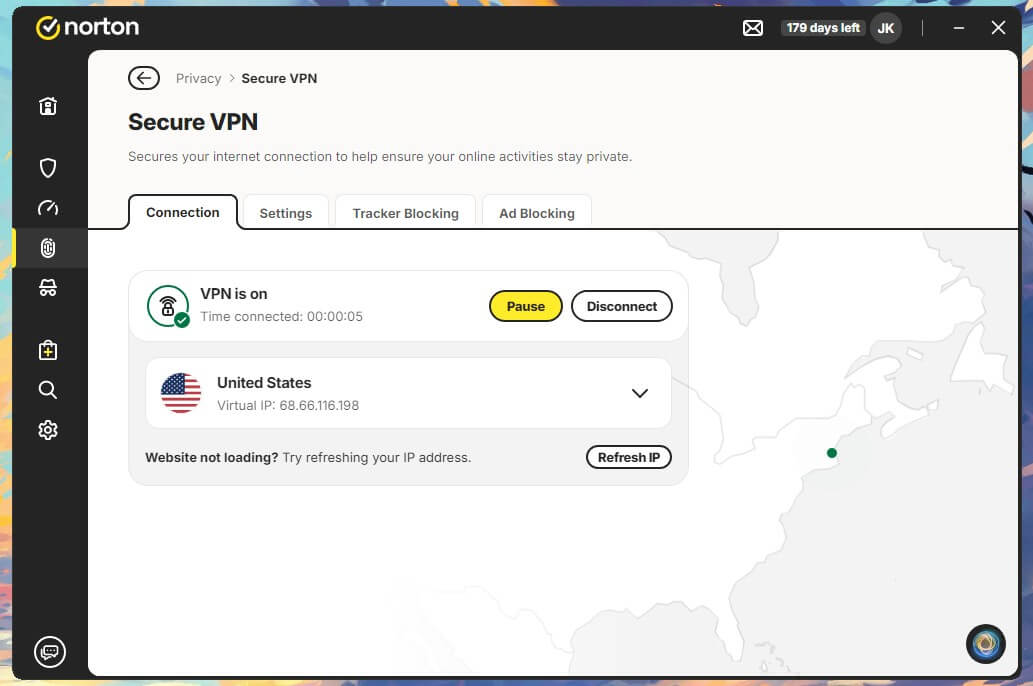
Norton 360 Deluxe comes at this from the other side, as a full antivirus suite with its own VPN. Norton detected 99.8% of our malware samples, though it flagged three safe files by mistake. AV-TEST also named it a Top Product in its July and August 2026 tests. The cost was startup time: with Norton installed, our test PC took 30 seconds to boot instead of 18.
Disabling startup apps you don’t use makes up some of that time. Norton VPN lost 14.0% of our speed on average, almost twice NordVPN’s speed loss, with the biggest drop on the Japanese server. For everyday browsing, a nearby server keeps speeds higher. It unblocked Netflix US, BBC iPlayer, and Pluto TV, and an audit by VerSprite backs its no-logs policy.
Norton 360 Deluxe costs $49.99 for the first year, then $124.99 a year. Disable auto-renewal in your Norton account to avoid an automatic charge at the higher price. pCloud offers more storage than Norton’s 50 GB of cloud backup.
Is Antivirus Still Necessary With a VPN?
Yes, for most people. A VPN and an antivirus protect against different threats:
- A VPN covers what leaves your device: your browsing on hotel Wi-Fi, what your ISP can see, and the ability to change your VPN location, for example to watch Canadian TV abroad.
- Antivirus covers what ends up on your device: infected downloads, malicious apps, and spyware that a VPN can’t see.
Some VPNs block known malicious sites, which lowers the risk without replacing a scanner. Our guides on what a VPN is, why people use a VPN, and the best VPNs for privacy explain how VPNs work and when to use one.
Is There a Free VPN With Antivirus?
Not one we’d recommend. Free VPNs limit data, speed, or server locations, and free antivirus tools leave out extras such as web protection. Microsoft Defender with a reputable free VPN is the closest free setup. The safer way to try a bundle is a money-back guarantee.
NordVPN, Surfshark, and PIA offer 30 days, CyberGhost 45 days on long-term plans, and Norton 60 days on yearly plans. For how these differ from a trial, see our guide to VPN free trials.
How to Set Up NordVPN’s Antivirus
- Subscribe to NordVPN’s Complete plan. The Basic plan doesn’t include antivirus.
- Install the app on Windows or macOS and sign in.
- Go to the protection settings and enable malware protection.
- Connect to a server for the VPN. Malware protection keeps working whether or not the VPN is connected.
Our Verdict on VPN and Antivirus Bundles
Which VPN with antivirus is best for you? Start with whether privacy or malware protection comes first. A bundle saves you a second subscription and one more app to manage. NordVPN is the bundle we’d recommend first. Its VPN lost less speed than any other on our list, and its next-gen antivirus stopped most malware downloads in our tests.
Pair it with Microsoft Defender for full scans of your PC. If malware protection is your priority, Norton 360 Deluxe has the strongest antivirus on our list and covers iPhones too. Surfshark One is the middle ground, with full scans on Android and computers for less than Norton.
Before you buy, check which devices you want covered. The antivirus from PIA and CyberGhost works on Windows only.
Frequently Asked Questions
What is the best VPN with antivirus?
NordVPN is the best VPN with antivirus, pairing a fast VPN with next-gen antivirus on its Complete plan. Norton 360 Deluxe is the strongest antivirus suite that includes a VPN.
Does a VPN protect against viruses?
No. A VPN encrypts traffic and hides an IP address, but it doesn't scan files or remove malware. Antivirus software such as Norton 360 Deluxe or Surfshark One covers that side.
Does NordVPN have antivirus?
Yes. NordVPN's Complete and Prime plans include next-gen antivirus for Windows and macOS, which checks downloads and blocks malicious sites. It can't scan files already stored on a device.
Does Norton 360 include a VPN?
Yes. Norton 360 Deluxe includes Norton VPN alongside its antivirus, password manager, and dark web monitoring, and other Norton 360 plans include the VPN too.
Can a VPN with antivirus remove existing malware?
Yes, if it includes a full scanner. Surfshark One, PIA's antivirus, CyberGhost's Security Suite, and Norton can scan and remove malware, while NordVPN's next-gen antivirus can't clean an existing infection.
Is a VPN and antivirus bundle worth it?
Yes, in most cases. One subscription covers privacy and malware protection, often for less than a separate VPN and antivirus. A bundle also keeps both tools under one account.